
Finding the perfect ergonomic setup shouldn’t be a one-size-fits-all solution. Whether you’re towering at six feet or working comfortably at five, your workspace needs to adapt to you.

The modern workplace has evolved dramatically, yet many professionals still struggle with discomfort, pain, and reduced productivity due to poorly adjusted workstations. Height differences create unique challenges that generic furniture simply cannot address. Understanding how to customize your ergonomic setup based on your specific height can transform not just your workday, but your overall health and efficiency. This comprehensive guide will walk you through creating the ultimate workspace that caters specifically to tall and short users alike.
🏢 Why Height Matters in Ergonomic Design
Your height directly influences how you interact with every element of your workspace. Standard office furniture is typically designed for individuals between 5’7″ and 5’10”, leaving millions of workers either cramped or stretching uncomfortably throughout their day. This mismatch between body dimensions and workspace configuration leads to musculoskeletal disorders, eye strain, and chronic fatigue.
Tall users often experience neck pain from looking down at monitors, knee discomfort from desks that are too low, and back strain from hunching over keyboards. Conversely, short users face challenges with feet dangling off chairs, arms reaching upward to type, and difficulty viewing screens positioned too high. These issues compound over time, potentially leading to serious health complications and decreased work performance.
Research consistently shows that proper ergonomic alignment reduces workplace injuries by up to 60% and can increase productivity by 25%. When your body isn’t fighting against your furniture, you can focus entirely on your tasks, maintain better concentration, and work longer without fatigue.
📏 Understanding Your Ergonomic Measurements
Before investing in any ergonomic equipment, you need to understand your specific measurements. These numbers will guide every purchasing decision and adjustment you make to your workspace.
Critical Measurements for Tall Users (6’0″ and Above)
Tall individuals require workspaces that accommodate longer limbs and higher eye levels. Your seated elbow height typically ranges from 10-12 inches above standard desk height. Monitor positioning needs to be 4-6 inches higher than conventional setups, and your keyboard should allow your forearms to remain parallel to the floor without shoulder elevation.
Desk depth becomes crucial for tall users who need additional space to extend longer legs comfortably. A minimum depth of 30 inches is recommended, though 36 inches provides optimal comfort. Chair seat depth should accommodate longer thighs without cutting off circulation behind the knees, typically requiring 20-22 inches compared to the standard 17-19 inches.
Essential Measurements for Short Users (Under 5’4″)
Short users face opposite challenges requiring downward adjustments. Your seated elbow height may be 2-4 inches below standard desk height, necessitating either a lower desk surface or a higher seating position with proper foot support. Monitor placement needs careful consideration to avoid neck extension, typically requiring screens to be lowered or tilted.
Foot support becomes non-negotiable for shorter individuals. Without proper footrests, leg circulation decreases, and lower back stress increases dramatically. Your feet should rest firmly on a surface, whether the floor or an adjustable footrest, with knees bent at approximately 90 degrees.
🪑 The Foundation: Choosing the Right Chair
Your office chair forms the cornerstone of any ergonomic setup. For height-specific needs, adjustability isn’t just a feature—it’s a necessity. Look for chairs offering seat height adjustment ranging from 16 to 22 inches from the floor, accommodating both short and tall users effectively.
Seat depth adjustment is equally important. Many premium ergonomic chairs now include sliding seat pans that can be moved forward or backward by 2-4 inches. This feature ensures that the seat edge doesn’t press against the back of your knees, regardless of your leg length. For tall users, this prevents circulation problems; for short users, it ensures proper back support without uncomfortable gaps.
Lumbar support height varies significantly based on your torso length. Adjustable lumbar mechanisms allow you to position support exactly at the curve of your lower back, typically located 6-10 inches above the seat for short users and 8-12 inches for tall users. Fixed lumbar support rarely works for individuals at height extremes.
Armrest adjustability in multiple dimensions proves essential. Look for 4D armrests that adjust in height, width, depth, and angle. Tall users need armrests that can rise higher and extend further forward, while short users require armrests that lower substantially and position closer to the body. Properly adjusted armrests reduce shoulder tension by 40% according to ergonomic studies.
🖥️ Monitor Positioning for Optimal Eye Comfort
Screen placement dramatically impacts neck health, eye strain, and overall comfort. The standard advice to position monitors at arm’s length works differently depending on arm length, making height-specific adjustments crucial.
For tall users, standard monitor stands create a downward viewing angle that strains neck muscles. Your monitor’s top edge should align with or slightly below eye level when sitting upright. This typically requires monitor arms or stands adding 4-8 inches of height. Dual monitor setups need even more careful consideration, with both screens positioned at equal heights and angles to prevent constant head rotation.
Short users often face the opposite problem—monitors perched too high, forcing uncomfortable upward gazing. Removing standard monitor stands and placing screens directly on the desk surface often provides better positioning. For ultra-short users, monitor arms that can descend below desk level offer the flexibility needed for proper eye alignment.
Distance from screen to eyes should equal your arm’s length, but this varies by height. Tall users typically need 24-36 inches, while shorter users work best at 20-24 inches. Font size and screen resolution must be adjusted accordingly to maintain readability without leaning forward, which negates proper distance benefits.
⌨️ Keyboard and Mouse Placement Strategies
Keyboard height determines shoulder and wrist comfort throughout your workday. Your elbows should rest at 90-110 degrees with forearms parallel to the floor when typing. This seemingly simple requirement becomes complex when accounting for height variations.
Tall users often benefit from negative-tilt keyboard trays that position the keyboard slightly below desk level. These specialized trays can lower typing surfaces by 2-4 inches while angling the keyboard downward, reducing wrist extension. Some tall individuals find that standing desk converters solve keyboard height issues more effectively than traditional seated solutions.
Short users typically need to raise their entire seating position, which often elevates them too high for standard desk surfaces. Keyboard trays that mount under the desk provide a lower typing surface while maintaining proper desk height for other tasks. The ideal keyboard height for short users often sits 1-3 inches below standard desk level.
Mouse positioning deserves equal attention. Your mouse should rest at the same height as your keyboard, within easy reach without extending your arm. Vertical mice or trackball alternatives can reduce wrist pronation regardless of height, though proper positioning remains paramount. For tall users, this might mean bringing the mouse closer and lower; for short users, ensuring the mouse doesn’t require arm extension from a raised seating position.
🛠️ Adjustable Desk Solutions for Every Height
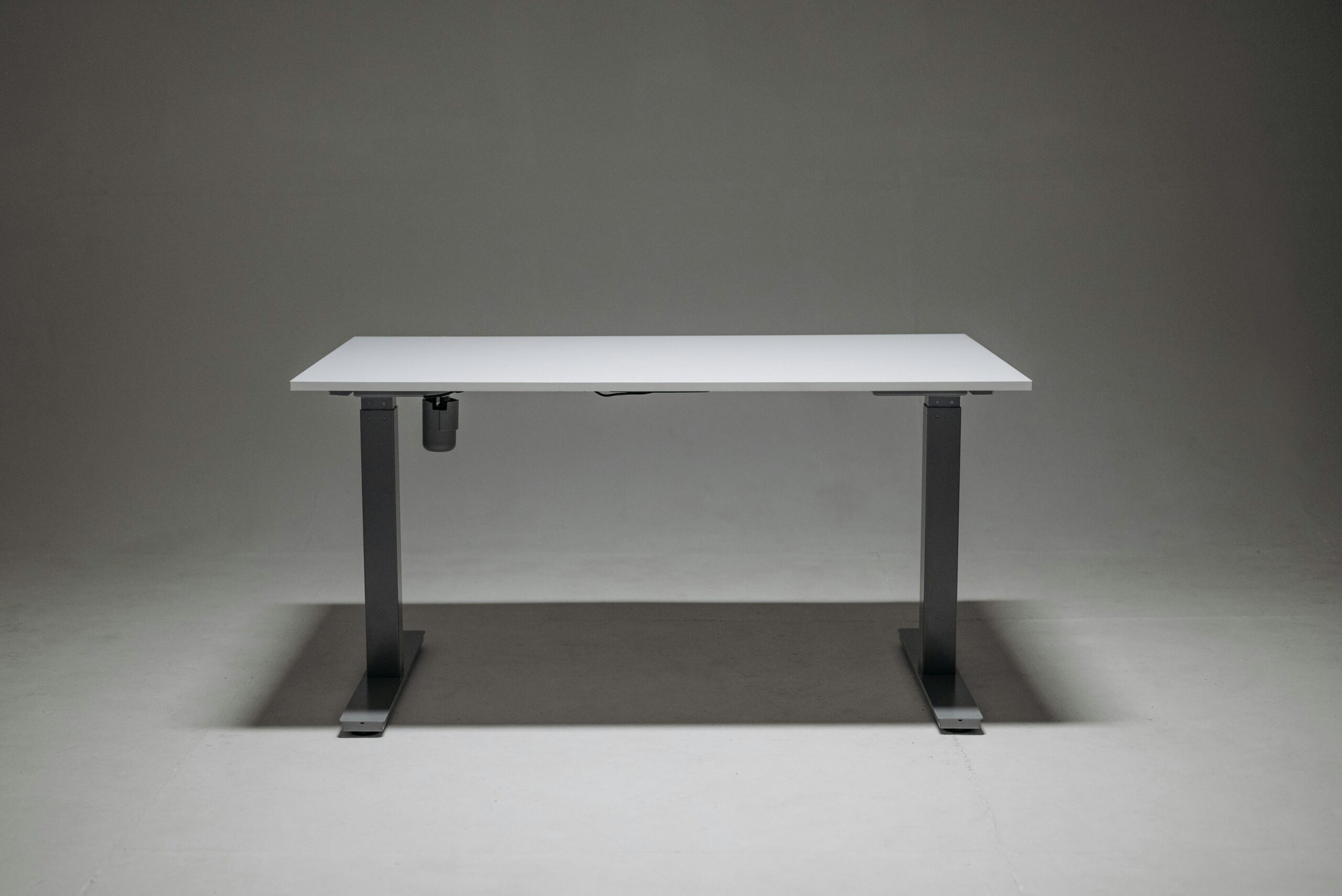
Height-adjustable desks have revolutionized ergonomic workspaces, but not all models accommodate extreme heights equally well. Standard adjustable desks range from 22 to 48 inches, which works for average heights but may leave very tall or very short users at the margins of comfort.
Tall users should seek desks with maximum heights of 50-52 inches for standing work. At 6’4″ or taller, standard standing desk heights often position work surfaces at chest level rather than proper elbow height. Extended-range desk frames cost slightly more but provide the necessary clearance for comfortable standing work sessions. Seated heights around 30-32 inches accommodate longer legs while maintaining proper elbow angles.
Short users need desks capable of lowering to 22-24 inches for seated work. Many budget adjustable desks have minimum heights of 28 inches, which is too high even with maximum chair elevation and footrests. Specialized low-range desks or children’s adjustable desks sometimes offer better solutions for adults under 5’2″. For standing work, a maximum height of 38-42 inches typically suffices.
Memory presets become invaluable when multiple people of different heights share workspaces. Four programmable height settings allow quick transitions between users without manual measurements. Some advanced desks now include smartphone apps for precise height tracking and reminders to alternate between sitting and standing.
👣 Footrests and Floor Support Systems
Proper foot positioning impacts your entire kinetic chain from ankles to neck. For short users, footrests aren’t optional—they’re essential for maintaining healthy posture and circulation. Without foot support, your body shifts forward in the chair to reach the floor, eliminating lumbar support and creating back strain.
Adjustable angle footrests allow dynamic movement throughout the day. Flat surfaces cause static muscle loading, while rocking or angled footrests encourage subtle position changes that improve circulation. Look for footrests adjustable in both height (3-6 inches of range) and angle (0-30 degrees). Width should accommodate both feet comfortably without forcing your knees together or apart.
Tall users rarely need traditional footrests but benefit from adequate legroom under desks. Ensure your desk provides at least 28 inches of vertical clearance and 24 inches of depth. Treadmill desk converters or standing desk mats provide cushioned support when working at elevated heights, reducing joint stress during standing sessions.
💡 Lighting Considerations for Different Heights
Monitor glare and ambient lighting affect people differently based on viewing angles determined by height. Tall users looking down at screens encounter different glare patterns than short users looking slightly upward. Task lighting needs adjustment to accommodate these viewing angle variations.
Overhead lighting creates screen glare more problematic for short users whose monitors tilt upward. Anti-glare screens or monitor hoods help, but positioning task lighting at desk level from the sides proves most effective. LED desk lamps with adjustable arms and color temperature controls allow customization for your specific height and screen position.
Tall users often deal with overhead lights reflecting off screens positioned higher in their visual field. Positioning monitors perpendicular to windows reduces glare, while adjustable task lighting from below can illuminate keyboard and desk areas without creating screen reflections. Consider the light source position relative to your eye level when seated—what works at 5’2″ creates different shadows and reflections at 6’2″.
🎯 Creating Your Personalized Ergonomic Checklist
Implementing height-specific ergonomics requires systematic assessment and adjustment. Use this framework to optimize your workspace regardless of your stature.
- Measure your seated elbow height from the floor with shoes on
- Calculate your eye level when seated in proper posture
- Determine your arm’s length from shoulder to fingertips
- Test whether your feet rest flat when seated at proper elbow height
- Assess your current desk height against ideal measurements
- Identify gaps between your body dimensions and current furniture capabilities
- Prioritize adjustments starting with chair and monitor position
- Document your optimal settings for future reference
📊 Investment Priorities by Height Category
Budget constraints require prioritizing ergonomic investments for maximum impact. Different heights benefit most from different upgrades first.
| Height Range | First Priority | Second Priority | Third Priority |
|---|---|---|---|
| Under 5’2″ | Adjustable footrest | Chair with low seat height | Monitor arm for lowering screen |
| 5’2″ – 5’10” | Quality adjustable chair | Monitor positioning | Keyboard tray if needed |
| Over 5’10” | Extended-range adjustable desk | Tall-back ergonomic chair | Monitor riser or arm mount |
🔧 Fine-Tuning Your Setup Over Time
Ergonomic optimization isn’t a one-time event but an ongoing process. Your body adapts to improved positioning, revealing additional adjustment opportunities. Spend one week with initial settings before making further changes, allowing your muscles to adjust and providing clear feedback on what works.
Keep a comfort journal documenting any pain, fatigue, or discomfort throughout workdays. Note the time of day when issues occur and which body parts feel stressed. This data reveals patterns indicating specific adjustments needed. Morning neck pain might signal monitor height issues, while afternoon lower back discomfort could indicate chair lumbar positioning problems.
Reassess your setup seasonally as clothing changes affect seated height and reach. Winter boots versus summer sandals alter your relationship to footrests and floor. Heavier clothing changes how chair armrests contact your body. Small seasonal tweaks maintain optimal positioning year-round.
🌟 Long-Term Health Benefits of Height-Appropriate Ergonomics
Investing in proper ergonomic setup yields returns far beyond immediate comfort. Workers with optimized workstations report 32% fewer sick days related to musculoskeletal issues. Proper positioning reduces chronic pain development, potentially saving thousands in medical treatments over a career.
Productivity improvements manifest in unexpected ways. Better focus from reduced discomfort leads to higher quality work and faster task completion. Energy levels remain stable throughout the day when your body isn’t fighting poor positioning. Mental clarity improves when physical discomfort doesn’t constantly intrude on concentration.
Career longevity benefits significantly from proper ergonomics. Professionals forced into early retirement due to workplace injuries often cite years of accumulated strain from poor workstation setup. Addressing height-specific needs now prevents cumulative damage that might otherwise limit your working years.
🚀 Taking Action: Your Next Steps
Understanding ergonomic principles means nothing without implementation. Start today by measuring your current setup against the standards outlined above. Identify the single most significant gap between your needs and current reality, then address that first. Often, the biggest improvement comes from one key change rather than wholesale replacement of all furniture.
Consider consulting with an occupational health specialist or ergonomic assessor for personalized recommendations. Many employers cover these assessments, recognizing the cost savings from reduced workplace injuries. Even without professional assessment, methodically working through the adjustments described here will dramatically improve your workspace comfort and efficiency.
Remember that ergonomics is deeply personal. What works perfectly for someone your exact height might not suit your body proportions, flexibility, or work habits. Use guidelines as starting points, but trust your body’s feedback. Pain, numbness, tingling, or persistent discomfort always signals that further adjustment is needed. Your ideal setup might take weeks to perfect, but the investment in your health and productivity pays dividends throughout your entire career.




